
Playing
Play as you normally would. Advancements pop as you go; here's everything around them.
The advancement screen
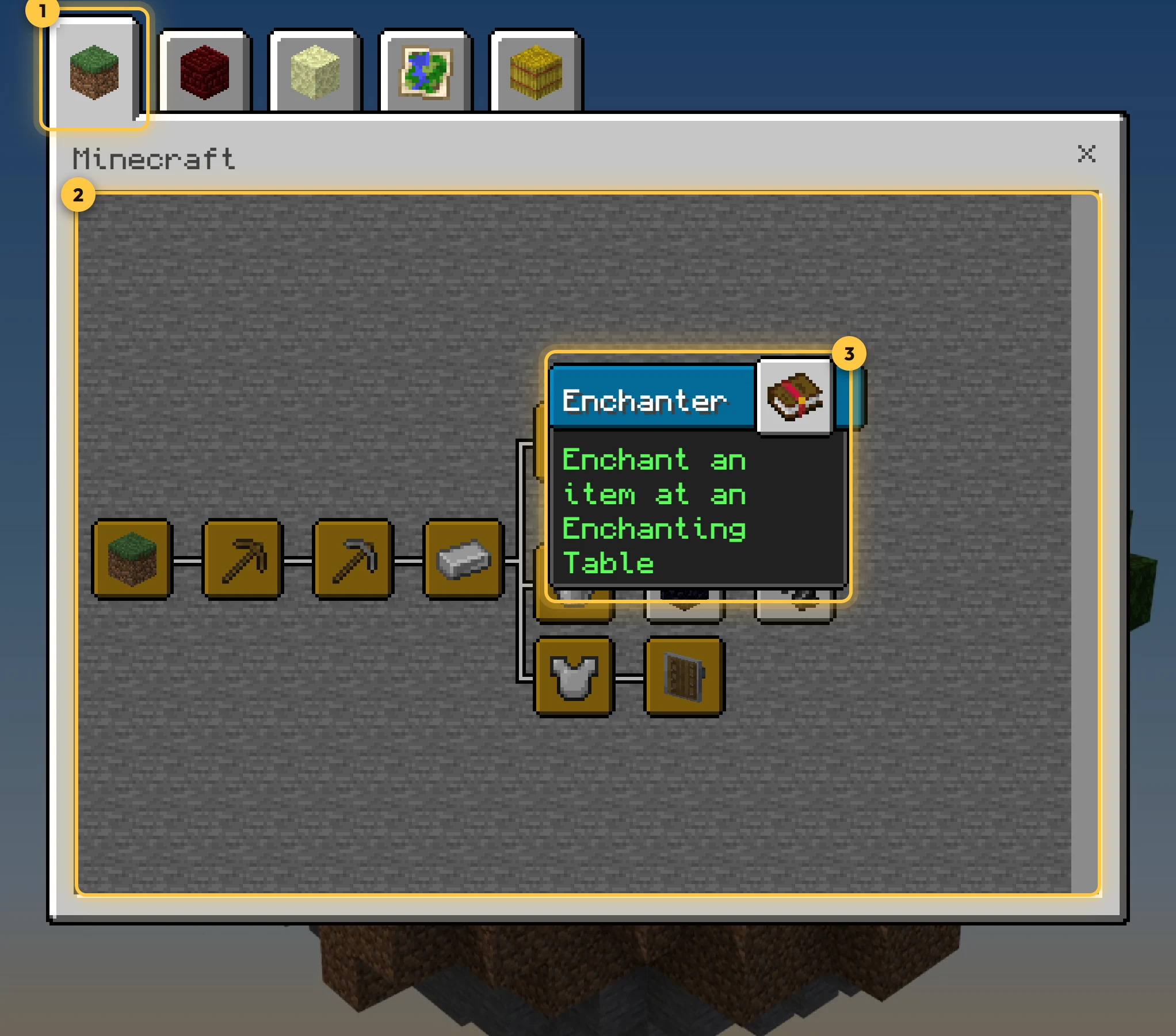
Open it with /ba:advancements or the Book of Advancements. It looks and works like Java's:
- Tabs along the top (and bottom, when there are many). A tab appears once its first advancement is done.
- Trees of advancements connected by lines. Scroll with the mouse wheel or by dragging.
- Frames show the kind: square for tasks, rounded for goals, spiky for challenges. They turn gold when done.
- Tooltips on hover show the description and, for advancements with several parts, your progress (for example
3/17).
As in Java, you see an advancement once its parent or grandparent is done. Hidden advancements, and the ones after them, stay secret until you complete them.
Toasts and announcements
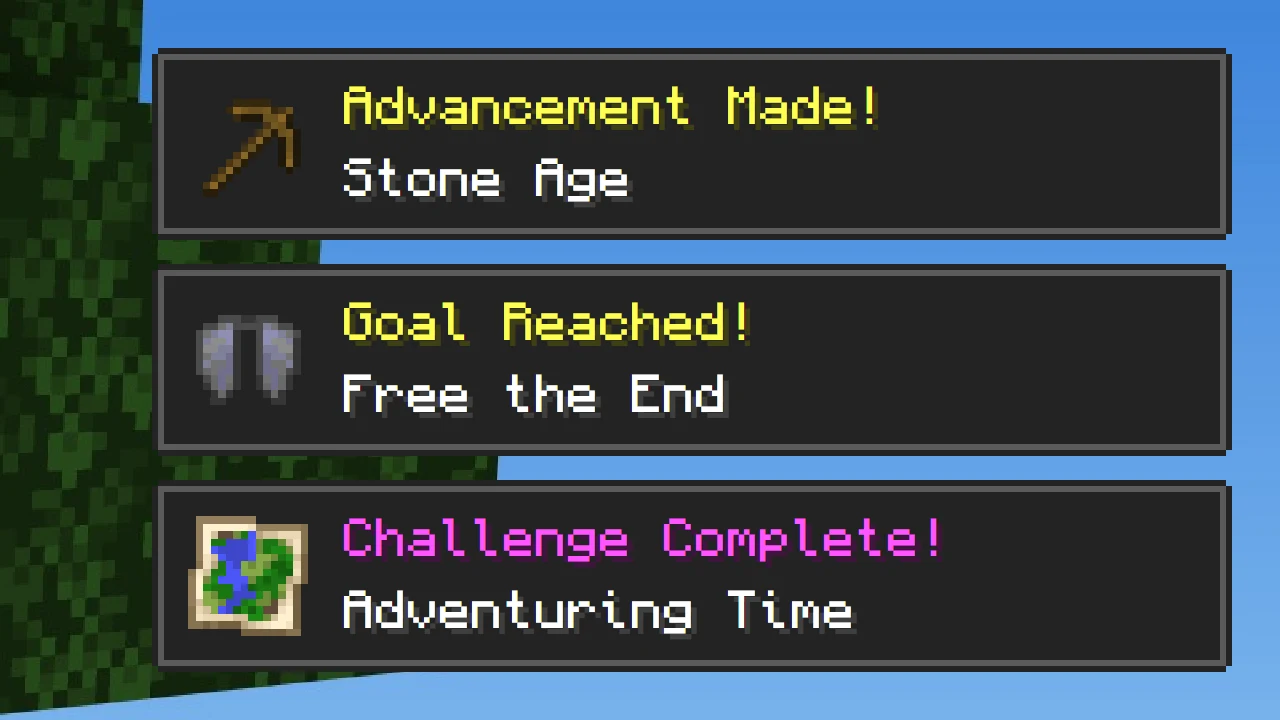
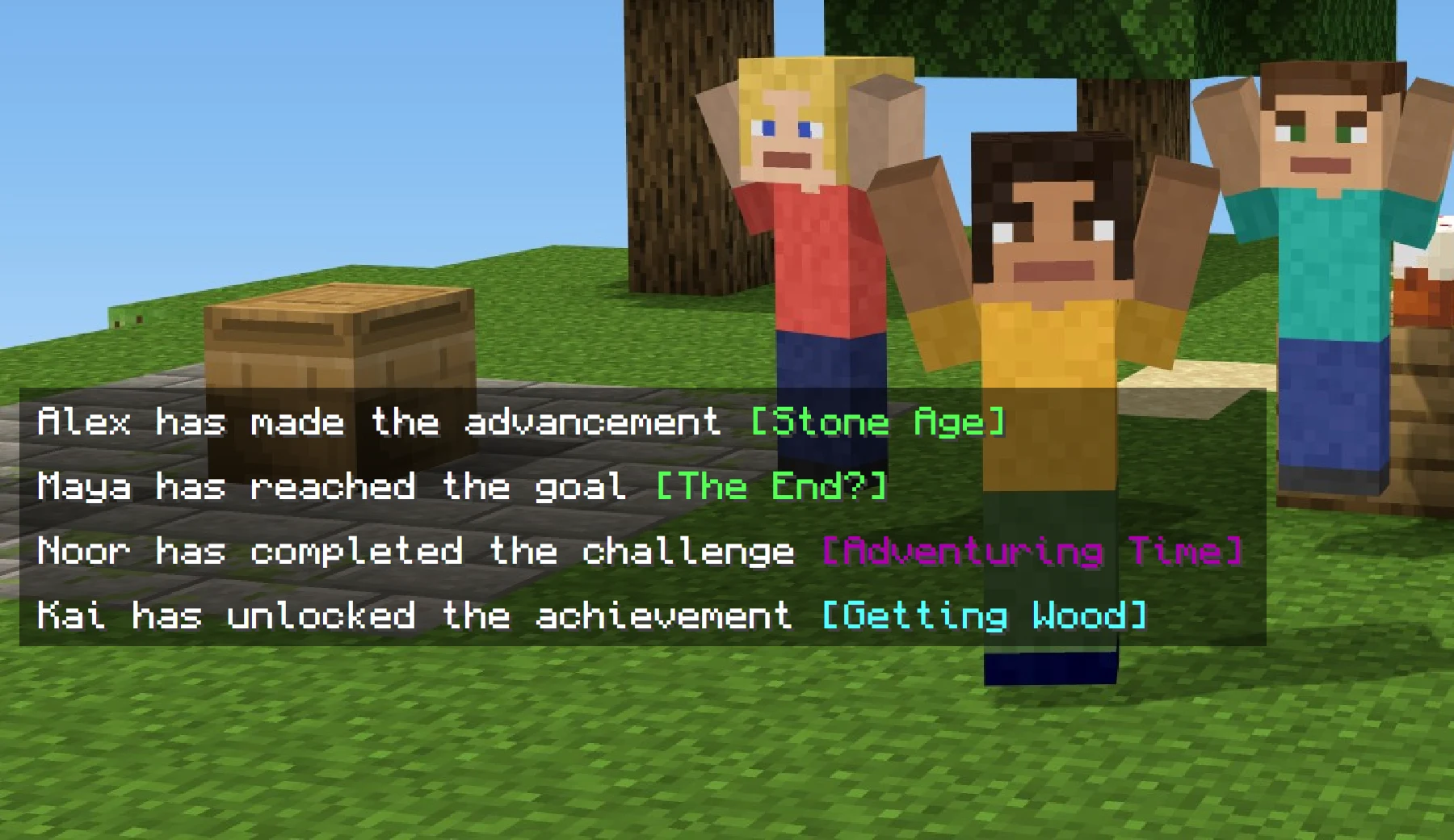
Completing an advancement shows a toast in the corner, and everyone sees a chat message ("Steve has made the advancement [Stone Age]"). Goals and challenges have their own wording, and challenges play a fanfare. Rewards, usually XP, are given straight away.
Operators can turn toasts, chat announcements and XP rewards off in the admin menu.
The Book of Advancements
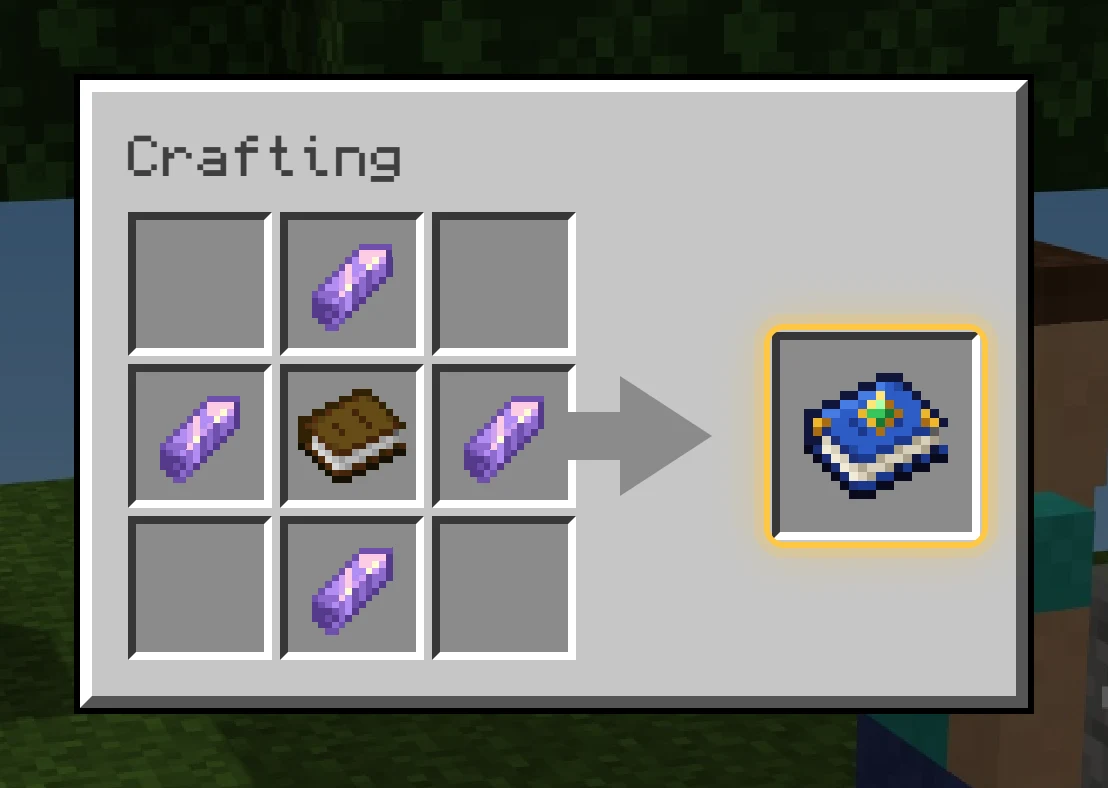
Craft it from a book and four amethyst shards.
- Use it to open the advancement screen.
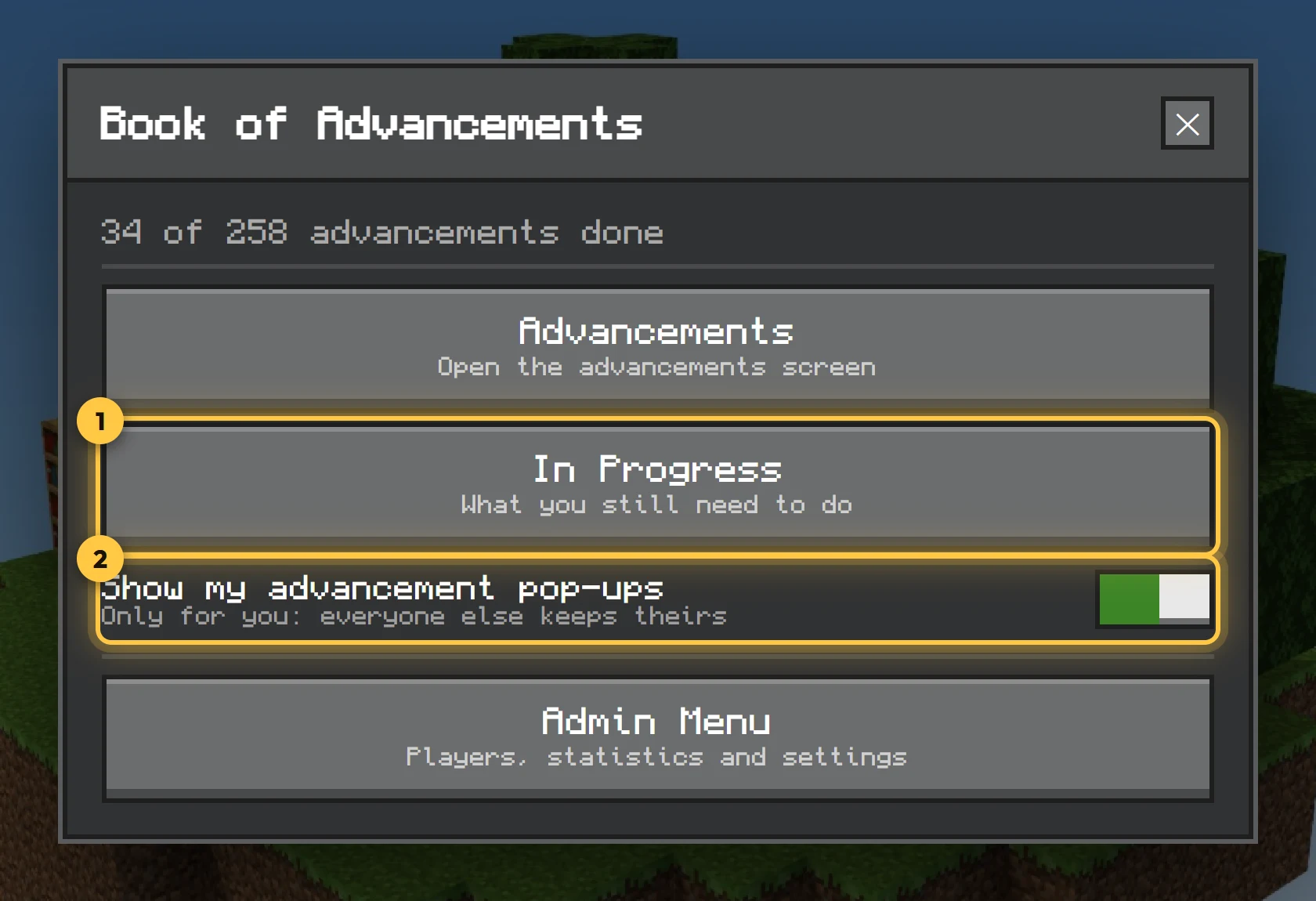
- Sneak and use it for its menu: how far you've got, your in-progress list, a switch for your own pop-ups and, for operators, the admin menu.
Advancement lecterns
Put your Book of Advancements on a lectern to show off. A floating name tag shows your name and how many advancements you have. Operators can choose name only or name and progress, above or below, and whether it shows through walls.
Your progress
/ba:progress lists the advancements you've started, with what's left. Progress is saved in the world, so it stays when you leave and is kept per player on servers and Realms.
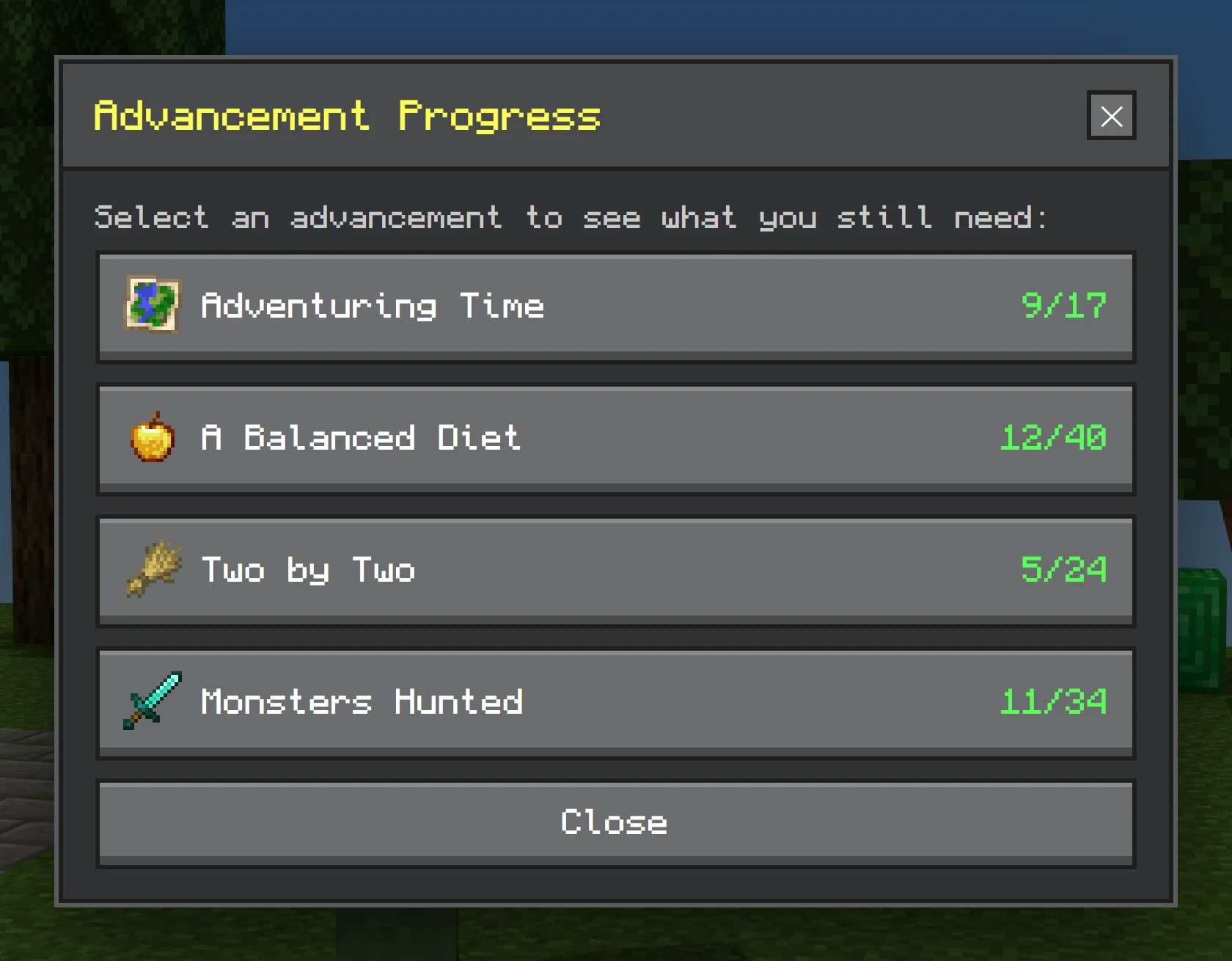
/ba:progress: pick one to see exactly what's left.Bedrock achievements
All of Bedrock's achievements have their own tab, earnable in any world, including worlds with cheats or Creative (if the operator allows Creative progress). The tab is off by default; an operator turns it on under Settings in the admin menu.