
Admin menu and settings
Everything an operator needs, in one menu: /ba:admin, or sneak and use the Book of Advancements.
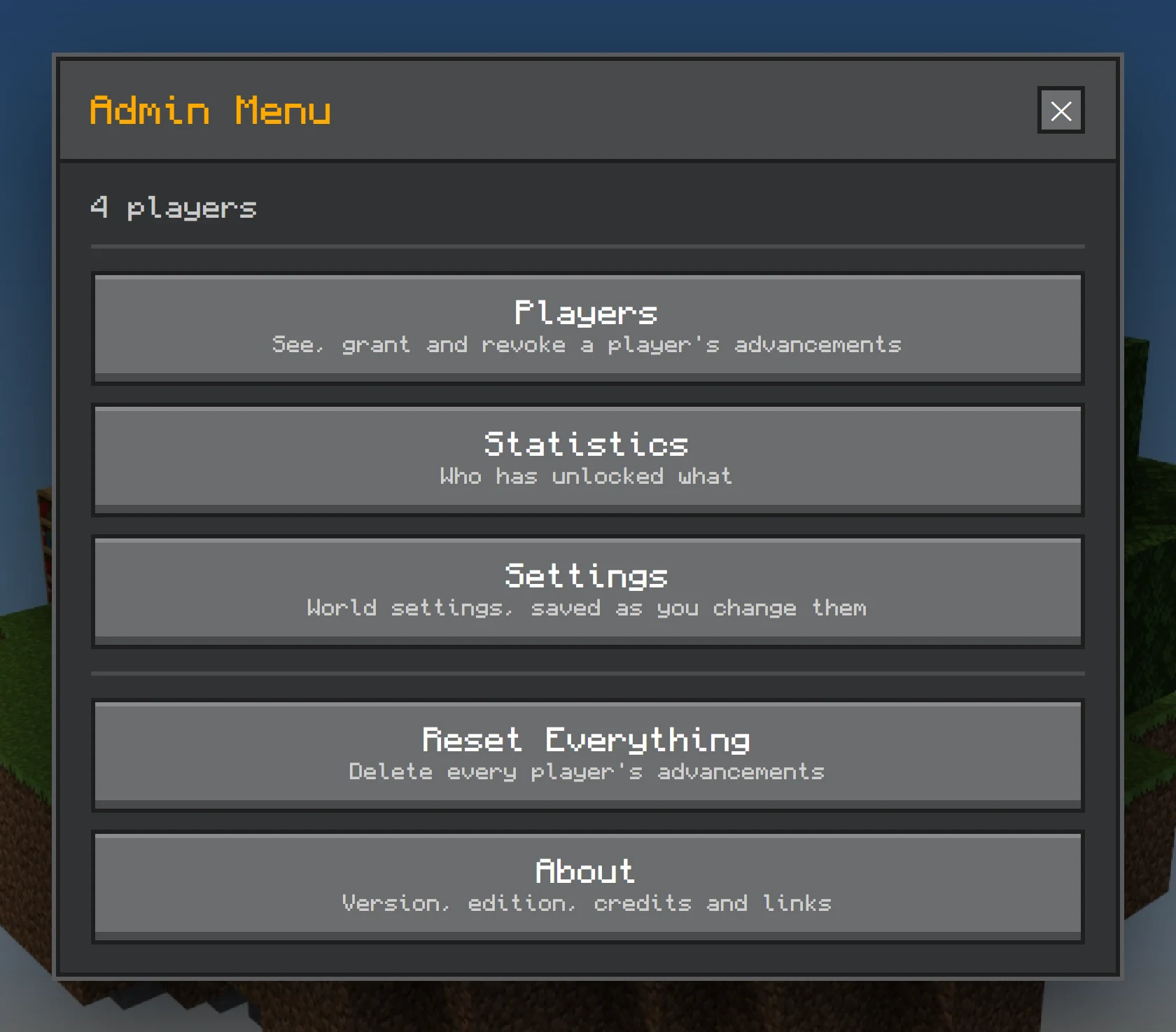
/ba:admin, or sneak and use the Book of Advancements.Players
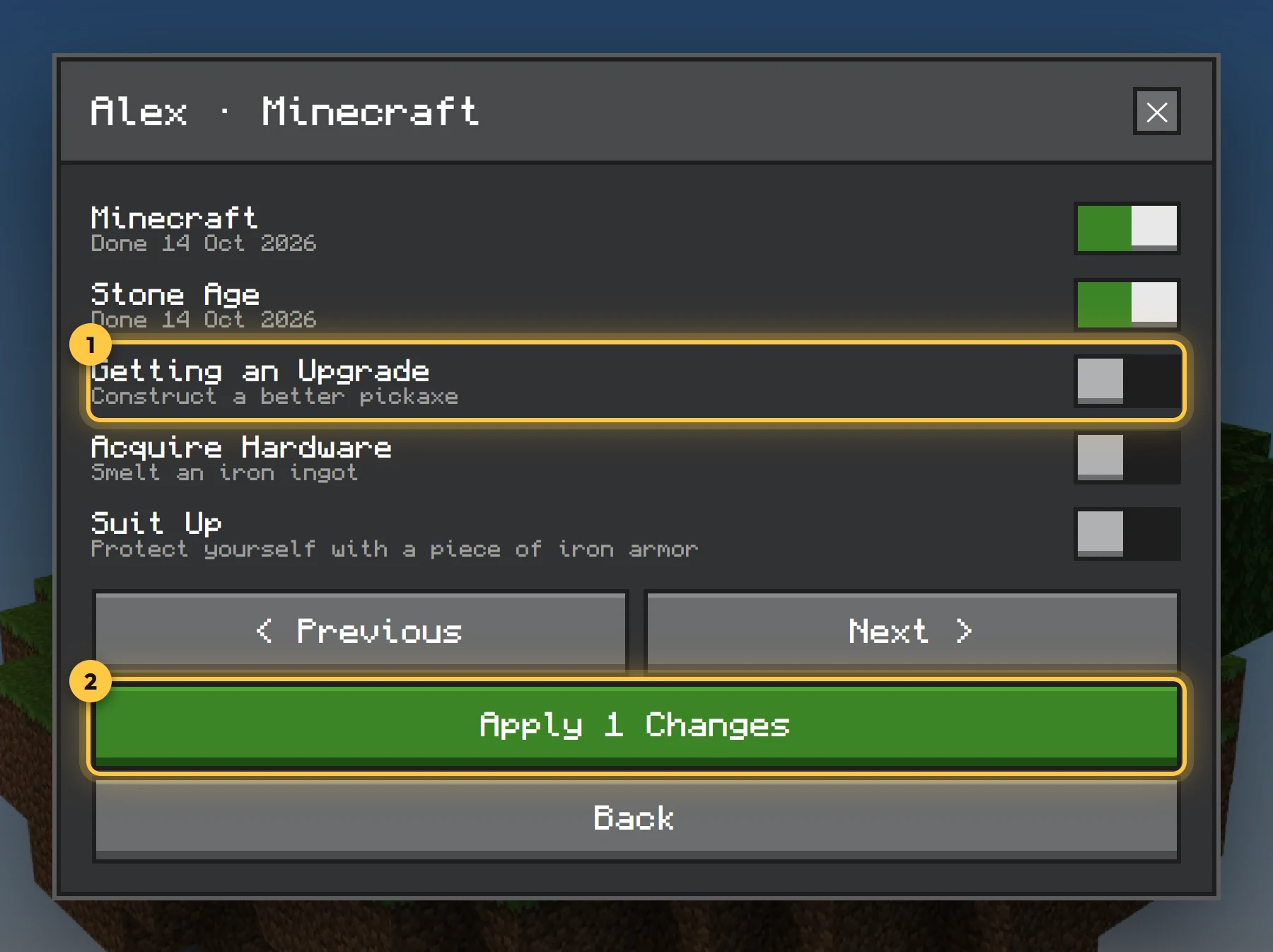
Pick any player, online or offline, and a tab. Each advancement is a toggle: switch them on or off, across as many pages as you like, then Apply to grant and revoke them all at once. Nothing changes until you confirm. You can also reset a player's progress entirely.
Statistics
For each tab, how many players have each advancement. Click one for its details.
Settings
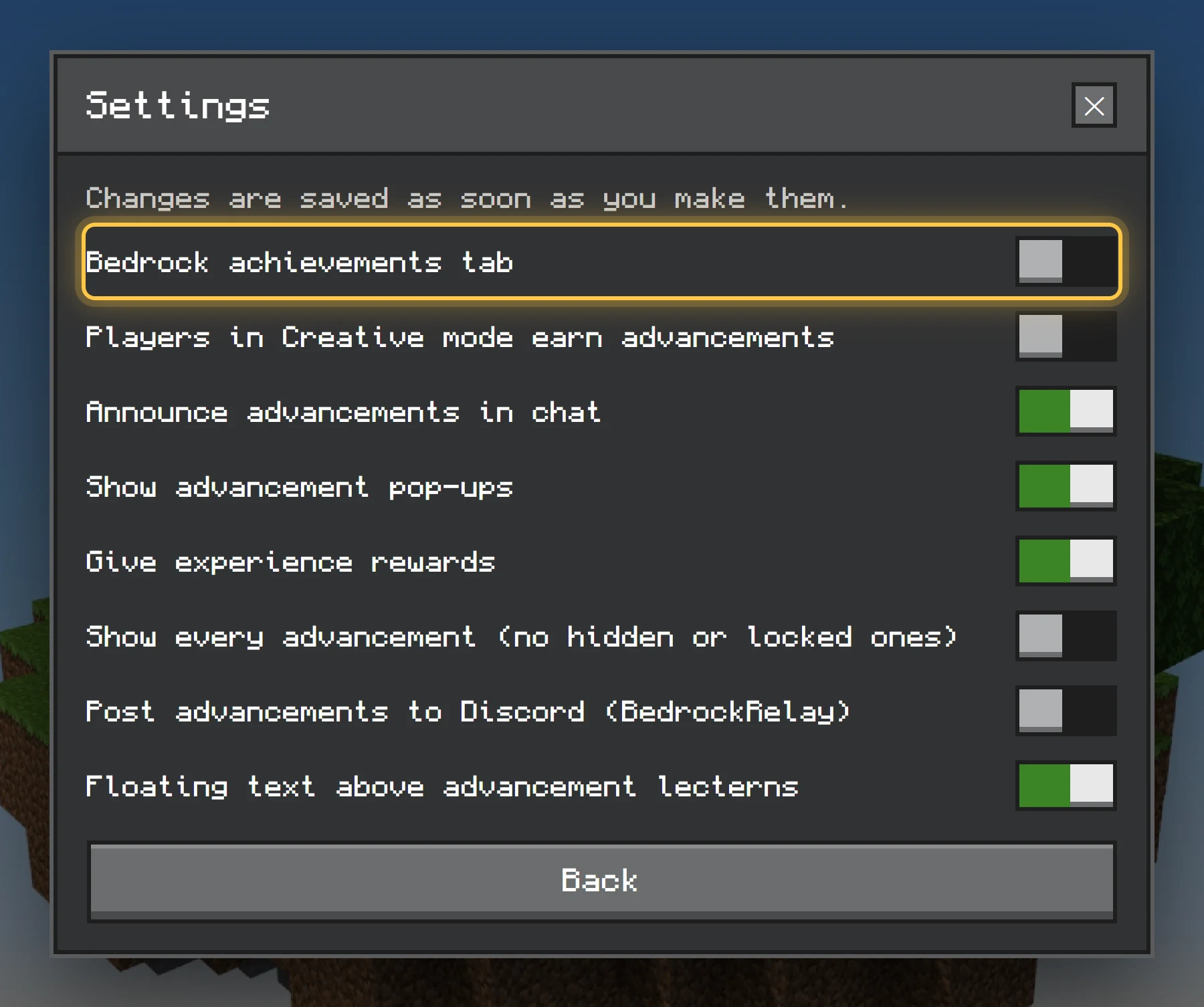
| Setting | What it does |
|---|---|
| Bedrock achievements tab | Shows every Bedrock achievement. Off by default. |
| Creative-mode progress | Whether players in Creative make progress. |
| Chat announcements | "Steve has made the advancement…" for everyone. |
| Toasts | The pop-up in the corner. |
| XP rewards | Whether rewards give XP. |
| Reveal all advancements | Shows every advancement, ignoring Java's reveal rules. |
| Discord posts | Posts completions to Discord (see below). |
| Lectern text | On or off; name only or with progress; above or below the lectern; hidden behind walls. |
| Debug logging | Detailed output in the content log, for tracking down a problem. |
Resets
Reset one player, or everything for everyone. A full reset asks you to type CONFIRM first.
About
The version, which edition is running (and which exact detection the Beta Features pack has turned on), the credits, and links to the website, the Discord and the translation site. Worth a look when you're reporting a problem.
Discord
BedrockAdvancements posts completions to your Discord server as rich embeds, with the advancement's icon, through BedrockRelay. BedrockRelay connects a dedicated server or a Realm to Discord; BedrockAdvancements needs it for Discord posts.
- Set up BedrockRelay for your world: follow its getting started guide. On a dedicated server that means installing its behaviour pack, with the Beta APIs experiment on (Relay needs it to read chat). On a Realm, BedrockRelay adds what it needs itself, and Beta APIs stays off.
- Pick a channel. In BedrockRelay's dashboard, turn on the Other addons event for the channel the posts should go to (channels in the BedrockRelay help).
- Switch Discord posts on in the admin menu's settings (above). It's off until you do.
When BedrockAdvancements finds BedrockRelay in the world, the server log says BedrockRelay detected. Nothing is posted until both are set up, and an advancement with "announce": false is never posted. Posts are in English (Discord can't show a player's game language).