
Data-only packs
The simplest way to add advancements to your add-on or map: item JSON files in a behaviour pack. No scripts.
Three ways to add advancements
| Data-only pack | External pack | Script plugin | |
|---|---|---|---|
| Lives in | Your behaviour pack | Your behaviour pack | A folder inside BedrockAdvancements |
| Needs scripting | No | Yes | Yes |
| Definitions | JSON in item files | JSON, sent over script events | JavaScript, with test functions and custom triggers |
| Progress from | Built-in triggers, tags, scoreboards, commands | Built-in triggers, plus events your scripts report | Anything |
| Guide | This page | External packs | Script plugins |
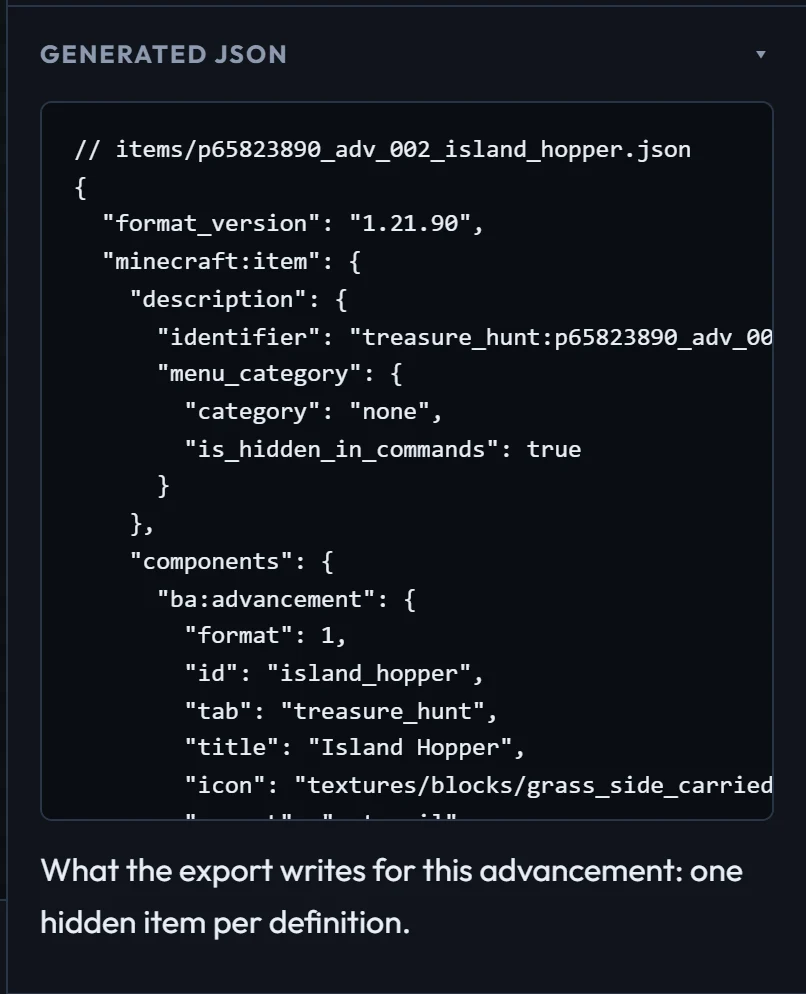
The creator makes data-only packs, so everything here is what it writes for you. Write them by hand when you want them inside your own add-on.
How it works
Each definition is a hidden item in your behaviour pack with one of three custom components. When the world loads, BedrockAdvancements reads every item with these components and registers what they describe. Without BedrockAdvancements, the items load and do nothing, so your pack doesn't depend on it.
| Component | Holds |
|---|---|
ba:tab | One tab. Fields: Tabs. |
ba:advancement | One advancement and its first goal, in criterion. Fields: Advancements. |
ba:criterion | One more goal for an advancement (advancement, name). Fields: Criteria. |
A tab
items/tab_map.json:
{
  "format_version": "1.21.90",
  "minecraft:item": {
    "description": {
      "identifier": "treasure_hunt:tab_map",
      "menu_category": { "category": "none", "is_hidden_in_commands": true }
    },
    "components": {
      "ba:tab": {
        "format": 1,
        "id": "map",
        "title": "Treasure Hunt",
        "icon": "textures/items/map_filled",
        "background": "textures/blocks/sand"
      }
    }
  }
}An advancement
items/adv_found_map.json, with the same wrapper and its own identifier:
"ba:advancement": {
  "format": 1,
  "id": "found_map",
  "tab": "map",
  "title": "X Marks the Spot",
  "description": "Pick up an explorer map",
  "icon": "textures/items/map_filled",
  "criterion": { "trigger": "inventory_changed", "item": "filled_map" }
}
The next one in the tree names it as its parent:
"ba:advancement": {
  "format": 1,
  "id": "dug_up", "tab": "map", "parent": "found_map",
  "title": "Dig Site", "icon": "textures/items/heartofthesea_closed", "frame": "goal",
  "criterion": { "trigger": "inventory_changed", "item": "heart_of_the_sea" },
  "rewards": { "xp": 50, "commands": ["give @s gold_ingot 3"] }
}Several goals
Name the first goal inline, and add each of the others as its own ba:criterion item:
"ba:advancement": {
  "format": 1,
  "id": "pirate", "tab": "map", "parent": "dug_up", "title": "Pirate's Haul",
  "icon": "textures/items/emerald", "requirements": "any",
  "criterion": { "name": "diamond", "trigger": "inventory_changed", "item": "diamond" }
}
"ba:criterion": { "format": 1, "advancement": "pirate", "name": "emerald", "trigger": "inventory_changed", "item": "emerald" }Rules to know
- Namespace. Ids without one get the item's namespace (
treasure_hunt:above). Use a namespace that's yours: two packs that define the same id replace each other's tab or advancement, and the content log warns about it. - Nesting limit. Bedrock refuses item components nested more than one object deep. That's why goals come one per component: write
"criterion": { … }, never"criteria": { "a": { … } }. A list inside a criterion ("item": ["diamond", "emerald"]) is fine. Break the limit and the content log says Exceeded the object and array depth limit. - Order. Items are read in identifier order, tabs before advancements. Siblings in a tree follow that order. The creator prefixes identifiers with a number for this.
- Hide the items with
"menu_category": { "category": "none", "is_hidden_in_commands": true }so they stay out of the creative inventory and/give. - Format. Add
"format": 1to each component. Newer BedrockAdvancements versions keep reading older formats; an older one warns that the pack needs an update. - Problems (an unknown parent or tab, a criterion for a missing advancement) are logged with the item's identifier when the world loads.
Textures
Icons and backgrounds are texture paths, without .png: any vanilla texture, or your resource pack's. Ship your own textures in your resource pack and refer to them by path, like textures/my_pack/ruby_trophy.
English text for Discord
If you use lang keys for titles and descriptions, add "english": { "my.key": "My Text" } to any ba:tab or ba:advancement so Discord posts read well.
A complete example
The example data-only pack has two tabs, a tree, several goals, a locked tab and rewards. The trigger reference lists every goal type and its fields, and Map making covers driving advancements from commands.