Helping translate
Speak a language other than English? You can make BedrockAdvancements, and the community's packs, read the way a person would write them.
BedrockAdvancements itself
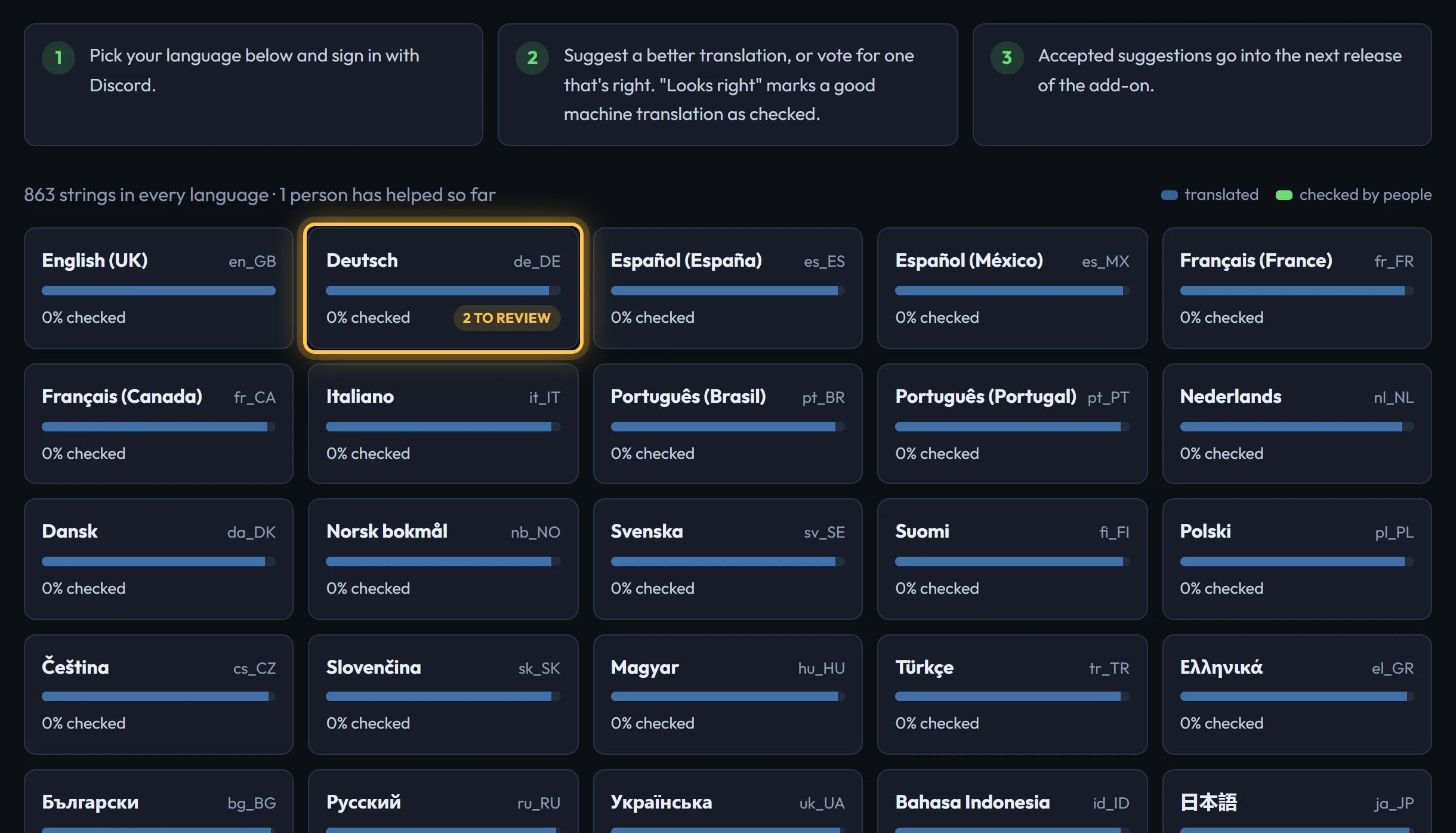
BedrockAdvancements works in all of Minecraft's languages, but most of its translations were made by machine, and some strings are still in English. Go to Translate and pick your language. The blue part of each bar is translated; the green part has been checked by people.
Sign in with Discord, then for each string:
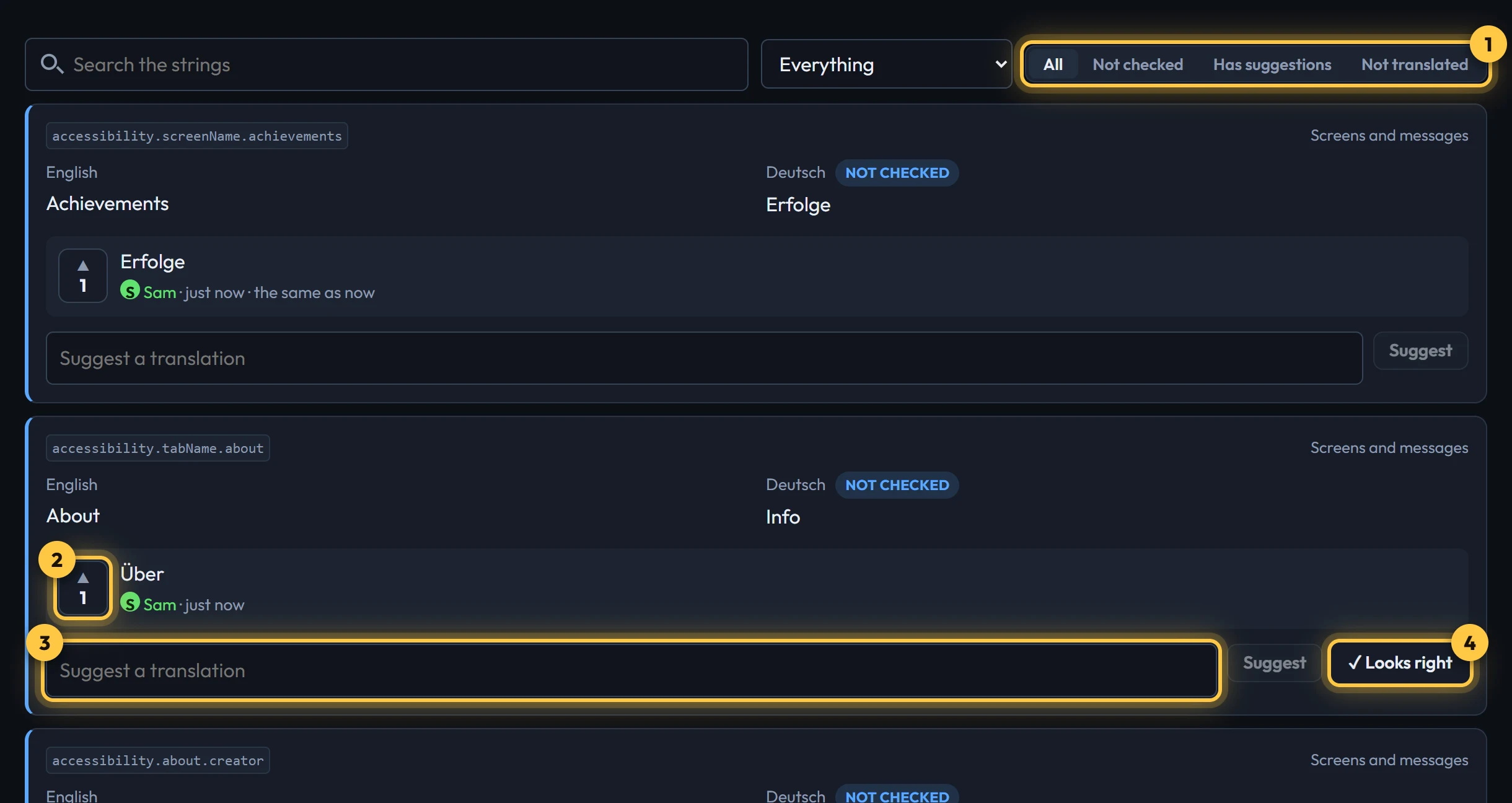
- Use the filters to find work: Not checked, Has suggestions (to vote on) or Not translated (still in English).
- Vote ▲ for a suggestion you agree with. Press it again to take your vote back.
- Type a better translation and press Suggest (or Enter). Clicking the box starts you off with the current text.
- When the current translation is already right, press ✓ Looks right. It counts as a suggestion of the same text.
A suggestion with three votes is accepted, and moderators can accept or reject one at any time. Accepted translations go into the next release of the add-on. Until then, anyone can download the up-to-date .lang file from the top of the language's page.
Community packs
Every pack page has a Help translate box. Pick your language to see the pack's strings. It works the same way, except that the pack's author decides: they accept or reject suggestions, and votes help them choose. As soon as they accept one, the pack's download and its Edit in the creator copy include it.
Authors: your suggestions are on the same page, with Accept and Reject buttons. To translate your own pack, use the creator's Languages panel.
Rules for translations
- Keep the placeholders.
%1,%2,%sand%dare filled in by the game (a player's name, an advancement). Every one in the English must be in yours, though you can move them around. The page won't send a suggestion that's missing one. - Keep the colour codes.
§a,§land the like colour and style the text. Keep them around the same words. Don't add new ones: some menus show them as plain characters. - Use the game's own words. When Minecraft already has a name for something in your language (a biome, a mob, an advancement from Java Edition), use that one.
- Keep it short. Titles show in toasts and on small screens.
- Be kind in the same way as everywhere else: see the community guidelines.