
Translating your pack in the creator
Players see your pack in their own language: the one they picked in Minecraft's settings.
Adding a language
Pick Languages at the bottom of the outline. The panel shows:
- Written in: the language you type names and descriptions in. Players whose language you haven't translated see this one.
- Each language you've added, with how much of it is done. Translate opens the table, ⬇ downloads its .lang file, and ✕ removes it (you can undo that).
- Tools for working with translators.
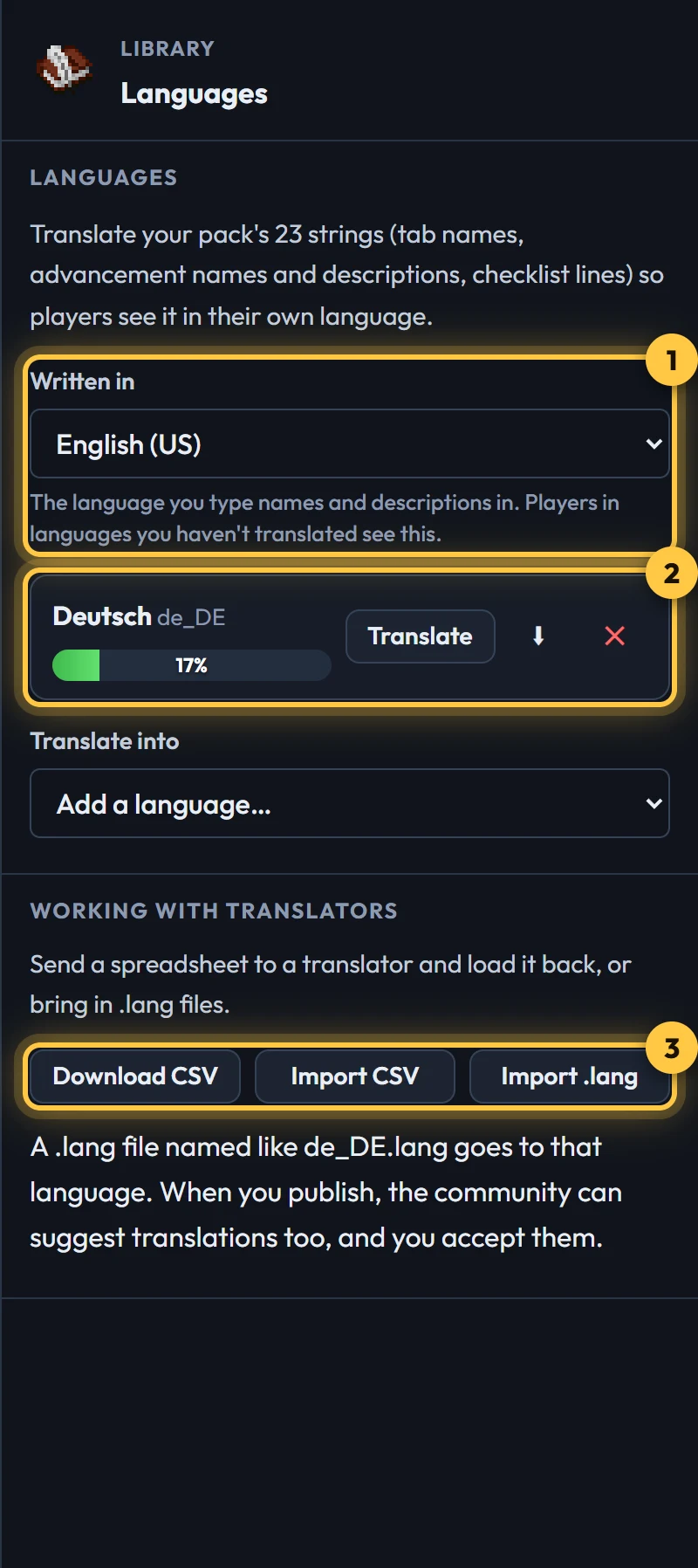
Pick a language under Translate into to add it. The table opens straight away.
The translation table
Every piece of text in your pack is a row: tab names, advancement names and descriptions, and checklist lines when an advancement has several goals. Type the translation on the right. It saves as you type, and Enter goes to the next row.
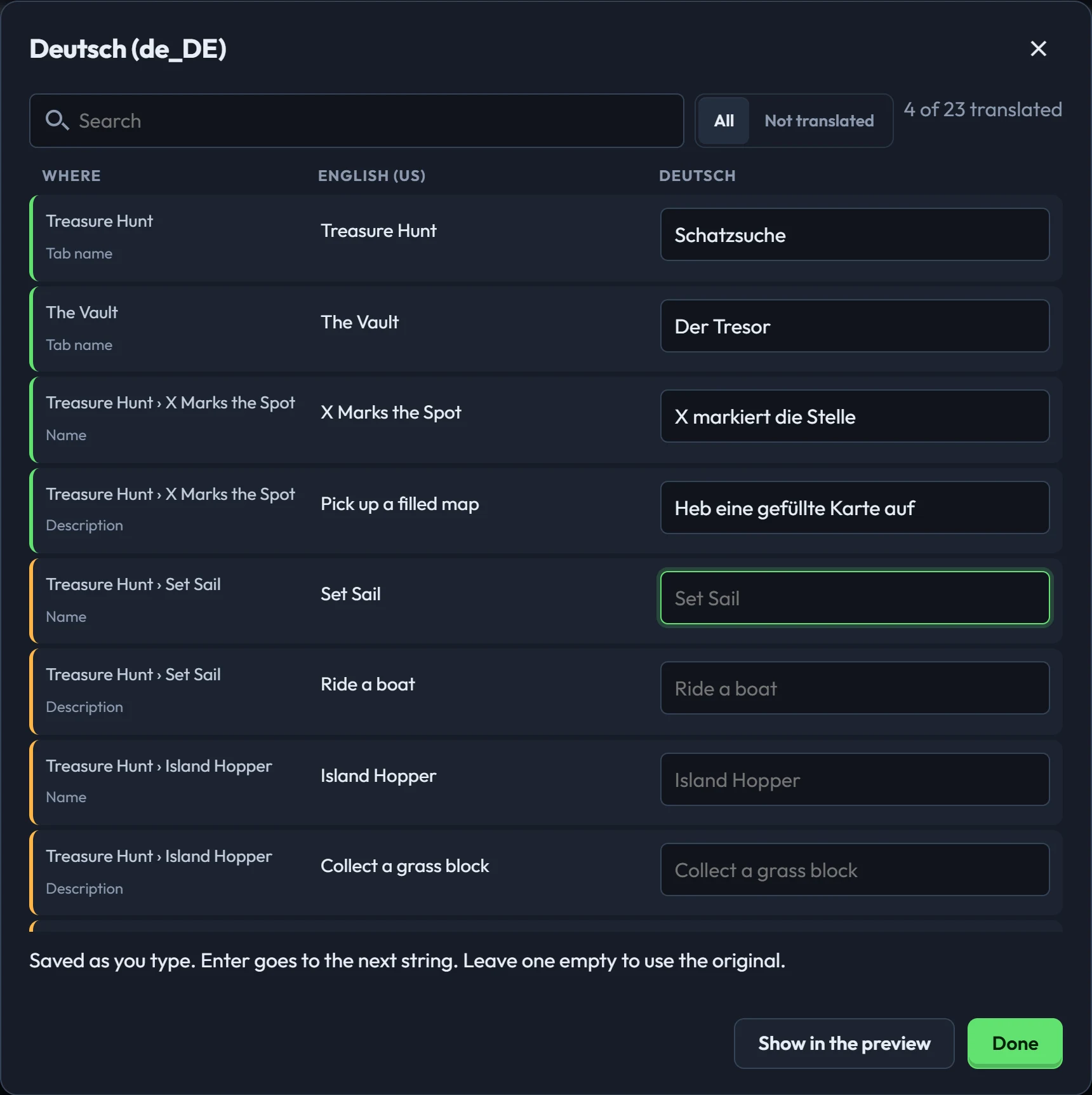
Leave a row empty and that language uses your original text for it, so a half-done translation never shows players a blank or a code.
Checking it in the preview
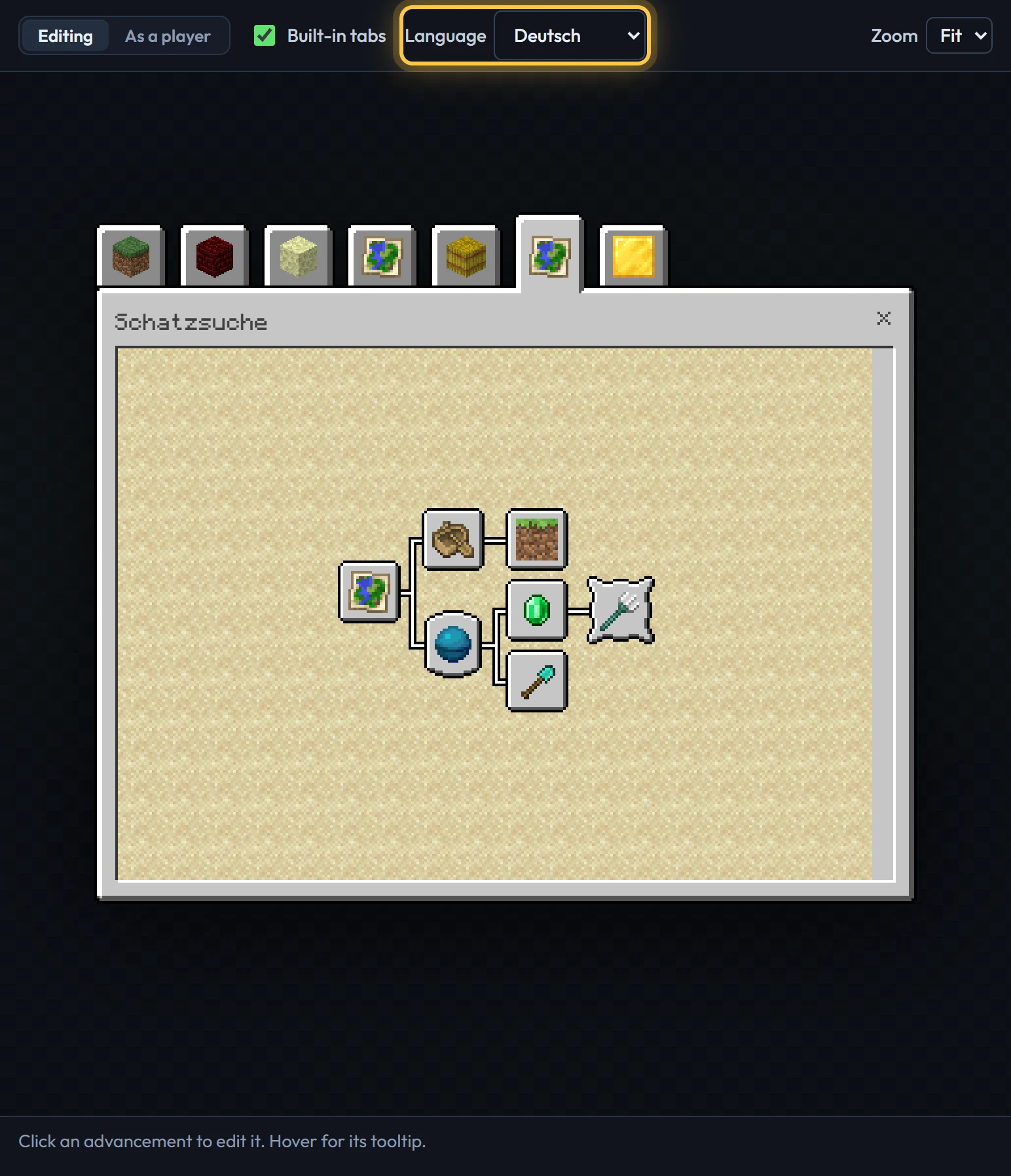
Once you've added a language, a Language menu appears above the preview. Switch it to see the screen the way those players will, tooltips included. Show in the preview in the table does the same.
Working with translators
- Download CSV gives a spreadsheet: one row per string, one column per language. Send it to someone, then Import CSV to load what they filled in. Add a column headed with a language code (like
fr_FR) to add that language. - Import .lang loads a Minecraft language file. Name it after its language (
de_DE.lang), or the creator asks which it is.
Once you publish your pack, anyone can suggest translations from its page. You accept the good ones, and the download includes them straight away. See Helping translate.
What the export does
Your export's resource pack gets a .lang file for every one of Minecraft's languages. Languages you haven't translated get your original text. Discord posts stay in English, or in your base language.
Opening the exported file in the creator again brings your translations back. Making packs by hand? Translating your pack covers the lang keys.