Map making with commands
Your command blocks decide when advancements happen. No scripts, just tags, scores and script events.
Three ways to award from commands
Tags
Give the advancement a tag goal ({ "trigger": "tag", "tag": "found_key" }). It completes as soon as the player has the tag:
/tag @p add found_key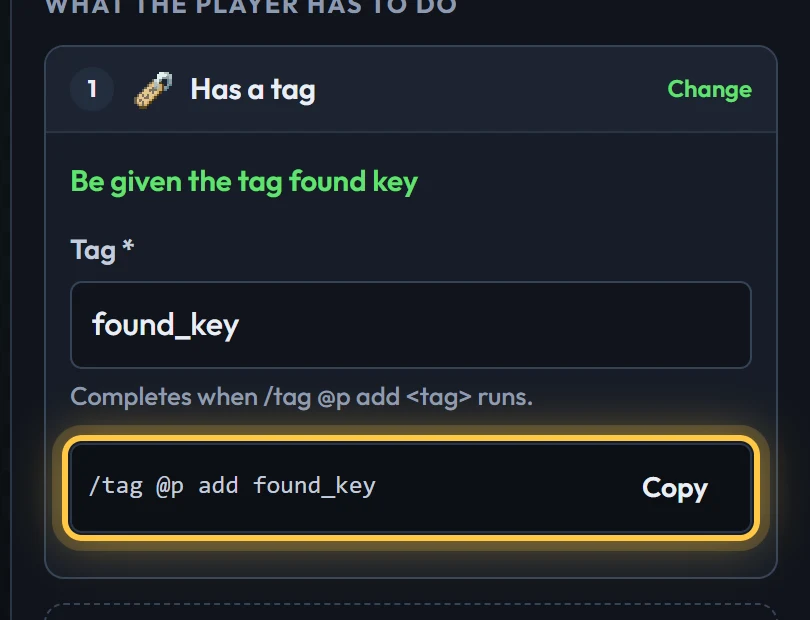
Scoreboards
A scoreboard goal ({ "trigger": "scoreboard", "objective": "puzzles", "min": 3 }) completes when the player's score is in range. The tooltip doesn't show the score, so pair it with a description like "Solve 3 puzzles".
/scoreboard objectives add puzzles dummy
/scoreboard players add @p puzzles 1Script events
For an advancement with an only when commands say so goal (impossible), grant it directly:
/execute as @p run scriptevent ba:grant my_map:final_doorScript events run as the player and work without cheats. The creator shows the exact command under each goal and has a Copy button.
All the script events
| Event | Message | Does |
|---|---|---|
ba:grant | my_map:id (as a player), or {"player": "Steve", "id": "my_map:id"} | Completes the advancement. |
ba:revoke | same | Takes it away. |
ba:award | {"player": "Steve", "id": "my_map:id", "criterion": "name"} | Completes one goal. |
ba:event | {"player": "Steve", "event": "my_map:lever_pulled"} | Progresses event goals listening for it. |
ba:open | my_map:quest (as a player), or {"player": "Steve", "tab": "my_map:quest"} | Opens the screen on a tab. |
Chapters: locked tabs
A tab's unlockedBy keeps it hidden, with progress paused, until the player has an advancement from another tab. Unlock a chapter from a command with a hidden tag advancement:
{ "id": "chapter_two_started", "tab": "intro", "hidden": true, "toast": false, "announce": false,
  "criterion": { "trigger": "tag", "tag": "chapter_two" } }
/tag @p add chapter_twoIn the creator: Advanced mode, select the tab, and tick the advancement under Locked until the player has.
Secrets
"hidden": true keeps an advancement, and the ones after it, off the screen until it's done: perfect for easter eggs. Set the tab's visibility to "all" if you'd rather show the whole quest from the start.
Rewards that drive the map
Reward commands run as the player, so an advancement can open the next door:
"rewards": { "commands": ["tag @s add can_enter_tower", "tp @s 120 64 -40"] }