Installing
Two minutes on any device. Pick an edition, import it, turn it on in your world.
Pick an edition
| Standard | Beta | |
|---|---|---|
| File | BedrockAdvancements-2.0.0.mcaddon | BedrockAdvancements-2.0.0-Beta.mcaddon |
| Experiments | None | Beta APIs must be on |
| Xbox achievements | Keep unlocking | Off for that world (Beta APIs is an experiment) |
| Structures | The ones the built-in advancements use, recognised from their blocks | Every structure, add-on ones included, exactly |
| Crafting goals | Having the item counts | Only crafting it counts |
| After a Minecraft update | Keeps working | Beta Features may need an update; until then it works like Standard |
Most people should pick Standard. The Beta edition is the standard edition plus one extra behaviour pack, BedrockAdvancements: Beta Features. Progress is shared, so you can switch either way later by adding or removing that pack.
Turning on Beta APIs can't be undone for a world, and the world stops awarding Xbox achievements. Back up your world first.
Windows, phones and tablets
- Download the
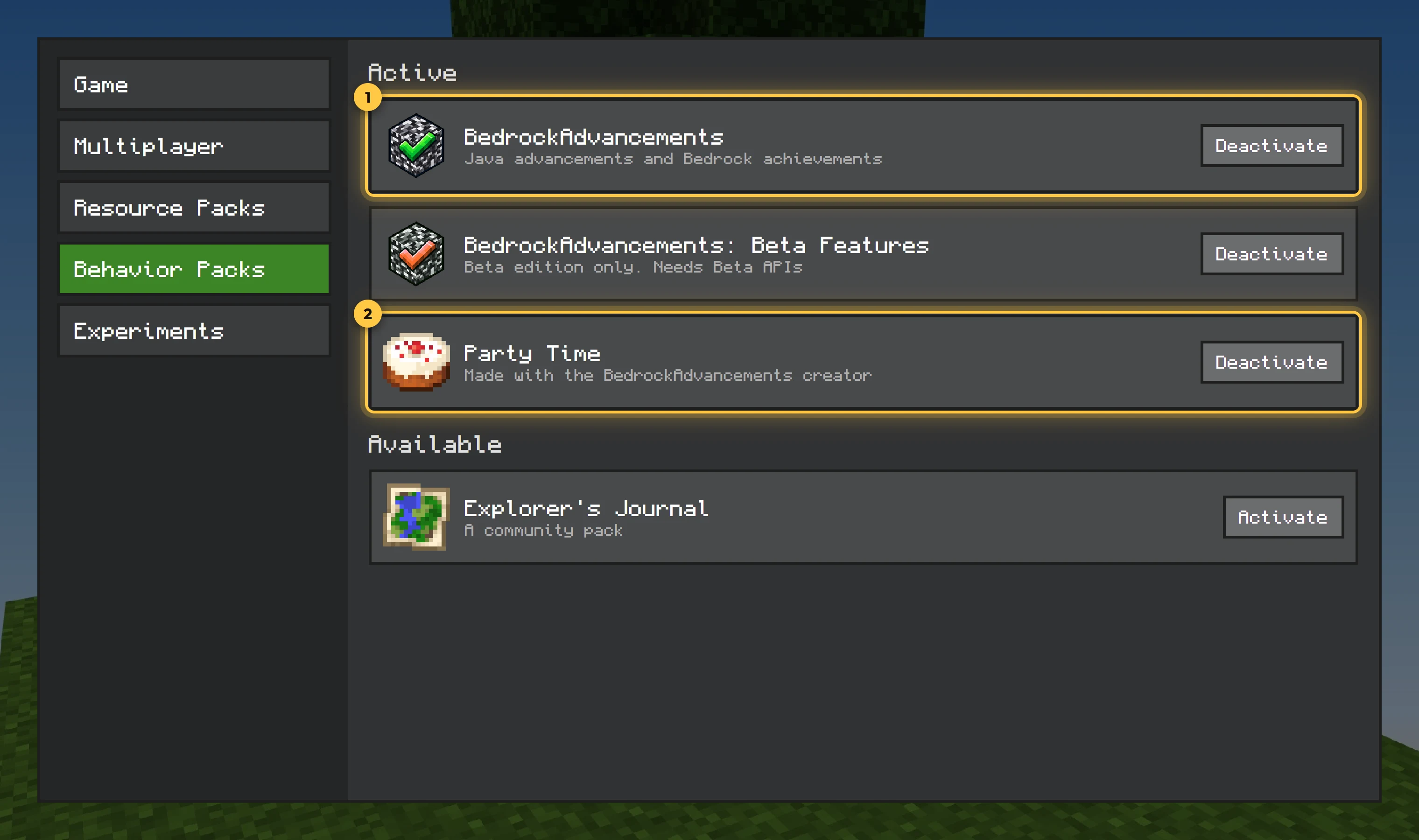
.mcaddonand open it. Minecraft starts and imports it. - Edit your world (or create a new one). Under Behavior Packs, find BedrockAdvancements and activate it. The resource pack is added with it.
- For the Beta edition: also activate BedrockAdvancements: Beta Features, and under Experiments turn on Beta APIs.
- Play. The Minecraft tab appears when you get a crafting table, as in Java.
Consoles
Consoles can't open files directly. Either add it to a Realm (below) or import it on a phone or PC that's signed in to the same account and upload the world to a Realm.
Realms
Activate the packs in a world on your device as above, then use Replace World in your Realm's settings to upload it. Everyone who joins gets the packs automatically.
Dedicated servers
- Unzip the
.mcaddon(it's a zip). Copy the behaviour pack folder intobehavior_packs/and the resource pack folder intoresource_packs/. - Add both to your world's
world_behavior_packs.jsonandworld_resource_packs.jsonwith their UUIDs and versions from eachmanifest.json. - Set
texturepacks-required=trueinserver.propertiesso players get the screen's textures. - Restart the server.
Requirements
Minecraft Bedrock 1.26.50 or later. Nothing to install for players joining a world that has it.
The standard edition leaves Xbox achievements on: they keep unlocking as normal. The Beta edition needs the Beta APIs experiment, which turns them off for that world. Either way, the Bedrock Achievements tab tracks every one of them in game.
Adding packs made with the creator
Packs from the creator or the community install the same way, next to BedrockAdvancements. See Exporting and installing.